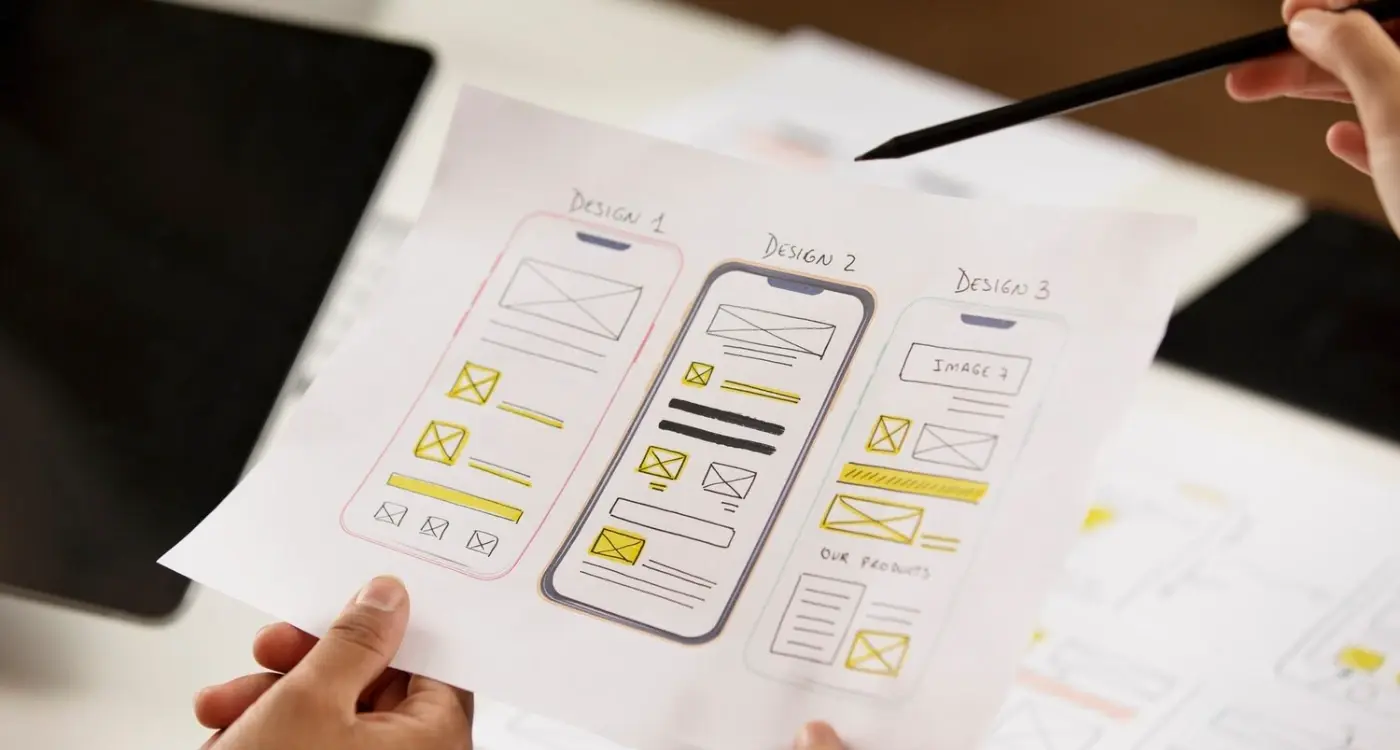
Have you ever wondered why some app projects run out of money before they even launch while others seem to breeze through development with budget to spare... the difference often comes down to how they split their funding between design and development from day one, and I've watched this play out more times than I should probably admit over my years running Glance.
Getting your budget split wrong at the start means you'll either end up with a beautiful app that doesn't work properly or a functional app that nobody wants to use
The question of how to divide your money between design and development isn't just about picking a percentage and hoping for the best, it's about understanding what your specific app actually needs to succeed in a market where users delete apps within minutes if something feels off. I've been building apps for a decade now, and the projects that succeed are the ones that think about this split based on their actual requirements rather than some generic advice they found online. The fact is that a banking app needs a completely different split compared to a gaming app, and treating them the same way is where most people go wrong before they've even started.
Understanding the Real Cost Split in Mobile App Projects
Most people come to me expecting that design takes about 20 percent of the budget and development takes the rest, but that's not how it works in practice when you actually start building something real. The design phase includes user research, wireframing, creating the visual design, building prototypes, and testing with actual users before a single line of code gets written. Development covers the backend infrastructure, API integration, database setup, frontend coding for what users see, testing across different devices, and all the security work that keeps user data safe.
Here's what the actual split looks like across different project sizes:
| Project Budget |
Design Portion |
Development Portion |
Testing & Polish |
| £20k-£40k |
£6k-£12k |
£12k-£24k |
£2k-£4k |
| £50k-£100k |
£15k-£30k |
£30k-£60k |
£5k-£10k |
| £100k+ |
£30k-£60k |
£60k-£120k |
£10k-£20k |
These numbers shift based on complexity, but they give you a starting point that's grounded in what projects actually cost rather than what people hope they'll cost.
Why Most Budget Allocations Get It Wrong
The biggest mistake I see is when clients allocate their budget based on what they think looks expensive rather than what actually takes time to build properly. Someone sees a gorgeous app interface and assumes that's where all the money went, when really the expensive part was building the payment system that processes transactions securely or the matching algorithm that connects users with the right content. I worked with an e-commerce client who wanted to spend £30k on design and only £20k on development for an app that needed real-time inventory management, secure checkout, and integration with their existing warehouse system (learned that the hard way when we had to explain why their numbers didn't work).
Before splitting your budget, write down every feature your app needs to do and estimate hours for each one, then add 40 percent to your development estimate because something always takes longer than expected.
The other problem is not accounting for revision cycles. Design needs feedback loops where you test with users and make changes. Development needs time to fix bugs and optimise performance. When you squeeze these budgets too tight, you end up rushing through the parts that actually determine whether users will love your app or delete it after one session. This is particularly crucial when you're trying to create something new rather than copying existing solutions.
The 30-70 Rule and When It Actually Works
There's this idea floating around that you should spend 30 percent on design and 70 percent on development, and sometimes that's spot on while other times it's completely wrong for what you're building. This split works well for apps that have complex backend requirements but relatively straightforward interfaces... think about a data processing app or a business tool where users care more about what it does than how pretty it looks.
When the 30-70 rule makes sense:
- Apps with heavy backend processing requirements
- Business tools where function matters more than form
- Apps integrating with multiple third-party services
- Projects with complex data handling and security needs
- Internal company apps where users have no choice but to use them
But flip this around for consumer apps where design is your main differentiator. A meditation app or a fitness tracker lives or dies based on how it feels to use, which means you might need a 40-60 or even 50-50 split to get the interface right. The rule isn't really a rule at all, it's just a starting point that you adjust based on what makes your specific app valuable to users, especially when you need to balance feature scope with usability.
Design Investment Based on Your App Category
Healthcare apps need more design budget than you'd think because the interface has to work for users who might be stressed, unwell, or elderly... we built a prescription management app where we spent nearly 40 percent of the budget on design because getting the usability right was the entire point of the app existing. This included testing with users who have disabilities to ensure accessibility wasn't an afterthought. Financial apps sit somewhere in the middle, needing clean interfaces that build trust but also requiring significant development work for security and compliance. Gaming apps flip the normal ratios completely, sometimes spending 50 percent or more on design and animation because that's the product itself.
The category of your app should tell you where to weight your spending before you even think about specific features
E-commerce apps typically work well with a 35-65 split because the shopping experience needs to feel smooth and trustworthy, but you also need solid checkout systems, inventory management, and payment processing. Social apps often need more development budget for the infrastructure that handles user-generated content, messaging systems, and the feeds that keep people coming back. Utility apps can sometimes get away with simpler design if they solve a specific problem really well, though you need to be careful not to ignore user feedback about usability issues.
Development Complexity Drives Your Numbers
The moment you add features like real-time chat, video streaming, or complex algorithms, your development costs shoot up faster than most people expect. A basic app with simple CRUD operations (create, read, update, delete data) might sit comfortably at 30 percent design and 70 percent development, but add in machine learning features or augmented reality and you're looking at 25-75 or even 20-80 because the technical work becomes that much more involved. Features like automated investment tools can significantly shift your budget allocation toward development.
Backend complexity affects your split more than anything else:
| Backend Type |
Typical Design Split |
Development Focus |
| Simple API only |
35-40% |
Basic data handling |
| Custom backend |
30-35% |
Server infrastructure |
| Real-time features |
25-30% |
WebSocket handling |
| AI/ML integration |
20-25% |
Model training and deployment |
Third-party integrations sound simple but they eat up development time when APIs don't work as documented or when you need to handle edge cases. Payment processing alone can take two weeks to implement properly with all the error handling and security requirements. When you're testing if new technology actually helps users, you need additional budget for validation and iteration cycles.
Platform Choices Change Everything
Building for iOS only, Android only, or both platforms shifts your budget allocation in ways that catch people off guard when they first start planning their project. A single platform lets you spend more on design refinement because you're not spreading your development budget across two codebases... we built a meditation app for iOS first and spent 38 percent on design because we only had to code once, which meant we could really polish the animations and transitions.
If you're planning to launch on both iOS and Android, consider using cross-platform tools like React Native or Flutter, which can save you 30-40 percent on development costs compared to building native apps separately.
Cross-platform development changes the maths completely:
- Native iOS and Android separately: 25-30% design, 70-75% development
- Cross-platform framework: 30-35% design, 65-70% development
- Progressive web app: 35-40% design, 60-65% development
Web apps often allow for a higher design budget percentage because development can be faster without the constraints of app store review processes and native code requirements. But they come with their own trade-offs around performance and access to device features. This is also why app pricing strategy needs to be considered early, as it affects platform choice and budget allocation.
Building Your Budget Buffer for Reality
Every single app project I've worked on has needed more money than the original estimate suggested, and the smart clients are the ones who plan for this from the start rather than panicking when it happens. A good buffer is 20-30 percent of your total budget, set aside for the things you didn't know you needed until you started building. This isn't pessimism, it's just how software development works when you're creating something that needs to function in the real world with real users who do unexpected things. If you're looking for the right type of funding for your project, understanding these realistic costs upfront is crucial.
Your buffer should cover scope creep, which happens when you realise halfway through that a feature needs to work differently than you originally planned. It covers technical discoveries, like when you find out that the third-party service you wanted to use doesn't support a feature you need. It covers the testing phase taking longer because you found bugs that need fixing. And it covers the app store review process potentially requiring changes before they'll approve your app (took me ages to realise this was a real cost that needed budgeting).
I usually recommend keeping your buffer as a separate line item rather than padding your design or development budgets, because when you pad individual budgets people tend to spend up to that number even if they don't need to, but a separate buffer stays untouched unless you actually hit a problem. When you're trying to make your app attractive to funders, showing that you understand these realistic costs demonstrates professional planning.
Conclusion
The split between design and development spending isn't something you can copy from another project or pull from a generic guide, it needs to match what your specific app requires to succeed in a crowded marketplace where users have endless options. Start by understanding your app category and its requirements, then look at the backend complexity and platform choices to figure out where your money needs to go. Build in a buffer for the unexpected things that will definitely happen, and remember that the goal isn't to stick to some perfect ratio but to allocate your resources in a way that creates an app people actually want to use. The projects that run out of money are usually the ones that guessed at their split rather than thinking through what they were actually building and what each part would take to get right.
If you're planning an app project and want help figuring out the right budget split for your specific situation, get in touch with us and we can walk through your requirements together.
Frequently Asked Questions
You'll end up with a beautiful app that doesn't function properly or crashes frequently, which leads to poor user reviews and high deletion rates. It's better to have a slightly less polished interface that works reliably than a stunning design that breaks when users try to complete basic tasks.
This approach usually costs more in the long run because changing design after development has started means rebuilding features that are already coded. It's more efficient to invest properly in design upfront, including user testing and revisions, than to try to retrofit a better experience later.
Look at your feature requirements - if you need real-time chat, user accounts, payment processing, data synchronization, or third-party integrations, you'll need a higher development allocation. Apps that just display static content or have simple forms need less backend work than those handling complex user interactions.
Start with one platform unless you have a substantial budget (£80k+) because building for both platforms can double your development costs. Choose based on where your target users are most active, then expand to the second platform after you've validated your concept and generated some revenue.
This includes bug fixing, performance optimization, user acceptance testing, app store submission preparation, and addressing issues found during beta testing. Many projects underestimate this phase, but it's crucial for ensuring your app actually works well when users download it.
Set aside a 20-30% buffer specifically for unexpected changes and stick to your original feature list for the first version. When new ideas come up (and they will), write them down for version 2 rather than adding them to your current project scope.
Yes, but focus on usability and efficiency rather than visual polish - your users care more about completing tasks quickly than having a beautiful interface. Even business apps benefit from good user experience design, especially if employees have to use the app frequently.
Underestimating the complexity of features that sound simple, like "users can chat with each other" or "send push notifications." These seemingly basic features often require significant backend infrastructure and development time that can easily double your original budget estimates.