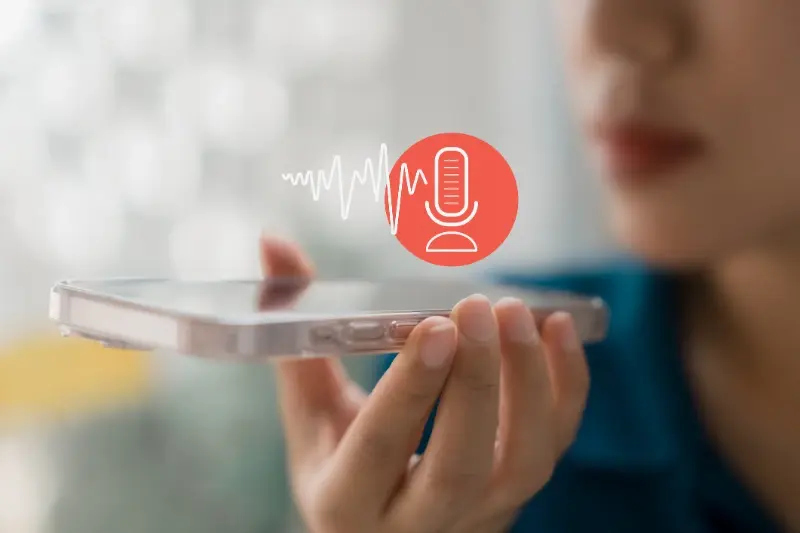
The Future Of Voice In Mobile Apps: What To Expect By 2027
Typing out a text message while walking down the street is awkward enough, but trying to navigate through an app to book a restaurant table or send money to a friend while your hands are full of shopping bags is nearly impossible... and this simple frustration has pushed voice technology from a nice extra feature to something users now expect in their mobile apps, especially as we look ahead to the next few years.
Voice interfaces are removing the barriers between what users want to do and their ability to do it quickly
Over the past ten years working with clients across healthcare, finance and retail, I've watched voice technology shift from being a novelty feature that made apps stand out to becoming a basic requirement that users assume will be there. The early voice systems we built into apps around five or six years ago were clunky and often misunderstood even simple commands (learned that the hard way), but the technology has moved forward so quickly that we're now at a point where voice can handle complex tasks, understand context from previous conversations, and even pick up on the emotional tone in someone's voice.
What makes this shift so interesting for app developers and business owners is that voice isn't just another way to press buttons anymore... it's becoming the main way that people interact with their devices, particularly when they're doing other things like driving, cooking, or looking after children. By the time we reach the middle of the next decade, I expect that most apps will need to offer voice as a primary interface rather than a secondary option, and the apps that get this right will see much higher engagement and retention rates than those that stick with touch-only interfaces.
How Voice Technology Changed Mobile Apps
The first voice-enabled apps I worked on back in the early days were simple command-response systems that could recognise maybe twenty or thirty phrases at best, and even then only if you spoke clearly in a quiet room. Fast forward to now and the voice systems we're building can understand natural speech patterns, different accents, background noise, and even slang terms that vary by region or age group.
This improvement hasn't happened by accident... it's the result of better microphones in phones, faster processing chips that can handle complex calculations locally without sending everything to a server, and machine learning models that have been trained on millions of hours of real human speech. The apps that have done well with voice integration are the ones that identified specific tasks where voice makes more sense than tapping on a screen, rather than just adding voice because everyone else was doing it.
- Banking apps that let you check your balance or pay bills by speaking
- Recipe apps that read out instructions step by step while you're cooking
- Navigation apps that respond to voice commands without taking your eyes off the road
- Fitness apps that track your workout and respond to voice during exercise
- Shopping apps that let you add items to your basket by naming them
The pattern I've noticed is that voice works best when users are busy doing something else with their hands or eyes, which is why we now design apps with voice-first thinking rather than just bolting it on at the end of a project.
Voice Recognition Gets Better Every Day
The accuracy rates for voice recognition have gone from around seventy per cent in the early systems to well over ninety-five per cent in current technology, which means the difference between a feature that frustrates users and one they actually rely on. When we test voice interfaces now, the errors are usually not from the system failing to hear what was said, but from the app not understanding what the user meant in context (which is a design problem, not a technology problem).
One healthcare app we built lets patients book appointments, request prescription refills, and send messages to their doctor entirely by voice, and the system needs to understand medical terms, different pronunciations of medication names, and even handle sensitive information securely without requiring the user to type anything. This level of accuracy is only possible because the voice recognition systems have been trained on specific vocabulary sets and can learn from corrections when they get something wrong.
Test your voice features with users who have different accents and speaking patterns, not just the people in your office who designed it.
The technology is now good enough that we're seeing apps move away from requiring exact command phrases (like saying "show me my account balance") to understanding natural requests (like "how much money do I have?"). This natural language processing makes the experience feel more like talking to a helpful person rather than issuing commands to a computer, and it's this shift that's driving adoption rates up across all age groups.
Smart Assistants Become More Helpful
The big platforms like Siri, Google Assistant and Alexa have set user expectations for what voice assistants can do, and now people expect the same level of capability from apps they download. The difference is that app-specific voice assistants can be trained to understand industry-specific language and complete complex multi-step tasks that the general assistants struggle with.
Context Awareness
Modern voice assistants remember what you talked about earlier in the conversation and can reference previous requests without you needing to repeat yourself. If you ask a travel app to find flights to Paris and then say "what about hotels there?", it knows you mean Paris without you saying it again. This context awareness makes conversations flow naturally and reduces the frustration of having to start from scratch with each request.
| Task Type | Old Method | Voice Method |
|---|---|---|
| Transfer money | 6-8 taps, login twice | Single voice command |
| Find product | Type, filter, scroll, tap | Say what you want |
| Book service | Select date, time, confirm | Speak preferred time |
| Get information | Navigate menus, read | Ask and listen |
Personality and Tone
The apps that do voice well give their assistants a personality that matches the brand and the user's needs... a banking app might sound professional and reassuring, while a fitness app could be more energetic and encouraging. Getting this tone right matters because users form emotional connections with voices they hear regularly, and a voice that sounds wrong for the context can put people off using the feature entirely (seen this happen more times than I can remember).
Apps That Listen and Learn From You
The most interesting development I've seen recently is apps that don't just respond to commands but actually learn from how you speak and what you ask for. A finance app we developed remembers that one user always asks about their savings account first thing Monday morning and another always checks their credit card balance after the weekend, and it can proactively offer this information when it predicts you'll want it.
Personalisation through voice creates app experiences that feel like they were built just for you
This learning happens on multiple levels... the app learns your vocabulary and the specific terms you use, it learns your habits and patterns of when you use certain features, and it learns your preferences for how much detail you want in responses. Someone who works in finance might want detailed breakdowns with specific numbers, while another user just wants to know if they're under or over budget without hearing exact amounts.
The privacy aspect here is really important though... users need to trust that their voice data is being handled properly and not shared or sold to third parties. The apps that are transparent about what they're learning and give users control over their data are the ones that build lasting relationships with their audience. We always design with privacy controls built in from the start rather than added later as an afterthought.
Voice Shopping and Money Transfers
The retail and finance sectors have moved quickly to adopt voice because the business case is so clear... anything that reduces friction in buying or transferring money directly impacts the bottom line. Voice commands can turn a twenty-tap process into a single sentence, which increases completion rates and reduces cart abandonment in shopping apps.
One e-commerce app we built lets users reorder their regular purchases by simply saying "order my usual coffee" or "send more nappies", and the system knows their preferences, delivery address, and payment method without asking. This kind of seamless experience is only possible when voice is designed into the app architecture from the beginning rather than added as a layer on top of an existing interface.
For money transfers, voice verification adds an extra layer of security because the system can recognise your unique voice pattern (called a voiceprint) alongside traditional security methods. Some banking apps now let you approve transfers or payments just by speaking a confirmation phrase, which is both faster and more secure than typing a password. The fraud prevention benefits here are significant because it's much harder to fake someone's voice than to steal their password.
Making Apps Work for Everyone
Voice technology has become one of the most powerful accessibility features in mobile apps, allowing people with visual impairments, motor disabilities, or learning differences to use apps that would otherwise be difficult or impossible for them. This isn't just about being inclusive (though that matters a lot)... it's about reaching a much larger audience who can benefit from voice interfaces.
Design your voice commands to work for people who might struggle with reading or fine motor control, and you'll create something that works better for everyone.
Breaking Down Barriers
A healthcare app we developed for managing medication schedules uses voice exclusively because many of the users are elderly patients who struggle with small text and tiny buttons on screens. They can ask when to take their next dose, set reminders by speaking, and even have the app read out information about side effects or drug interactions. The feedback we got was that many of these users had stopped using previous apps because they were too fiddly, but they use this one daily because talking is easier than tapping.
- People driving or cycling can use apps safely without looking at screens
- Users with dyslexia can speak instead of reading or typing text
- Anyone cooking or doing messy tasks can keep their hands free
- People with limited mobility can control apps without precise movements
- Users in loud environments can still interact through voice in quieter moments
Accessibility features that help users with different needs often become popular with everyone once they discover how convenient they are.
What Voice Technology Means for App Makers
Building voice features into apps is more complex than adding a microphone button and hoping for the best... it requires thinking differently about user flows, designing for audio feedback instead of visual cues, and handling errors gracefully when the system doesn't understand. The development costs are higher upfront, but the engagement and retention benefits usually justify the investment within a few months.
Technical Considerations
The choice between processing voice locally on the device versus sending it to cloud servers affects both performance and privacy. Local processing is faster and more private but requires more powerful devices, while cloud processing works on older phones but needs a good internet connection and raises data privacy questions. Most apps we build now use a hybrid approach where simple commands are handled locally and complex requests go to the cloud.
| Development Aspect | Time Investment | User Benefit |
|---|---|---|
| Basic voice commands | 2-3 weeks | Quick actions hands-free |
| Natural language | 6-8 weeks | Conversational interaction |
| Personalised learning | 10-12 weeks | Adapts to user patterns |
| Voice verification | 4-6 weeks | Better security, less friction |
Testing voice interfaces requires different methods than testing touch interfaces... you need real users speaking naturally in real environments, not just testers in quiet offices reading from scripts. The bugs and issues that appear when someone uses voice while walking down a busy street or in a room with a television on are completely different from lab testing results (took me ages to learn this properly). This is where proper testing and deployment processes become essential for identifying these real-world scenarios.
Conclusion
Looking ahead to the next couple of years, voice will move from being an optional feature to a basic expectation in most app categories, especially for apps that handle frequent, routine tasks or serve users who are often busy or mobile. The technology is mature enough now that the main barriers aren't technical limitations but design thinking and understanding where voice actually helps versus where it's just a gimmick.
Apps that get voice right will see better engagement metrics, higher retention rates, and access to user groups who previously found their services too difficult to use. The opportunity for businesses is clear... build voice interfaces that solve real problems and make tasks genuinely easier, not just voice features for the sake of having them. The users who benefit most from voice technology are often the ones who become the most loyal customers because you've removed barriers that competitors have left in place.
The apps we're designing now assume voice will be one of the primary ways users interact with them, alongside touch and eventually other input methods that haven't been perfected yet. Getting ahead of this shift means starting to think about voice now rather than waiting until your competitors have already solved these problems and taken your potential users.
If you're planning an app project and want to talk about how voice features could work for your specific users and business goals, get in touch with our team and we can walk through what makes sense for your situation.
Frequently Asked Questions
Current voice recognition systems achieve over 95% accuracy, which is a massive improvement from the 70% rates of early systems. The main errors now come from apps not understanding context rather than mishearing what was said, making it reliable enough for daily use in most environments.
Apps work best with voice when users are busy with their hands or eyes - banking apps for quick balance checks, recipe apps for hands-free cooking instructions, navigation apps for safe driving, and shopping apps for adding items while browsing. Voice is most valuable for frequent, routine tasks rather than complex setup processes.
This depends on how the app handles your data - some process voice locally on your device for better privacy, while others send it to cloud servers. Look for apps that are transparent about their data practices and give you control over what's stored and shared with third parties.
Basic voice commands typically require 2-3 weeks of development time, while more advanced features like natural language processing can take 6-8 weeks. The upfront costs are higher than traditional features, but most apps see improved engagement and retention that justifies the investment within a few months.
Yes, voice interfaces are particularly valuable for users with visual impairments, motor disabilities, or learning differences who struggle with small text and precise touch controls. Many accessibility features that help specific user groups end up being convenient for everyone once they try them.
It depends on the app - simple voice commands can often be processed locally on your device without internet, while complex natural language requests usually need cloud processing. Most modern apps use a hybrid approach, handling basic commands offline and sending complex requests to servers when connected.
Test with real users in real environments, not just quiet offices - voice interfaces behave very differently when there's background noise, multiple speakers, or when users are moving around. The bugs you'll find during actual use are completely different from lab testing results.
Voice will become a primary interface alongside touch rather than replacing it entirely - different tasks work better with different input methods. By the mid-2020s, most apps will likely offer voice as a main option rather than a secondary feature, especially for routine tasks and accessibility.


Share this
Subscribe To Our Blog
You May Also Like
These Related Stories
How Voice Technology Can Transform Your Customer Experience

5 Social Media App Ideas That Could Actually Work in 2025