What Design Features Do Real Estate Apps Need?
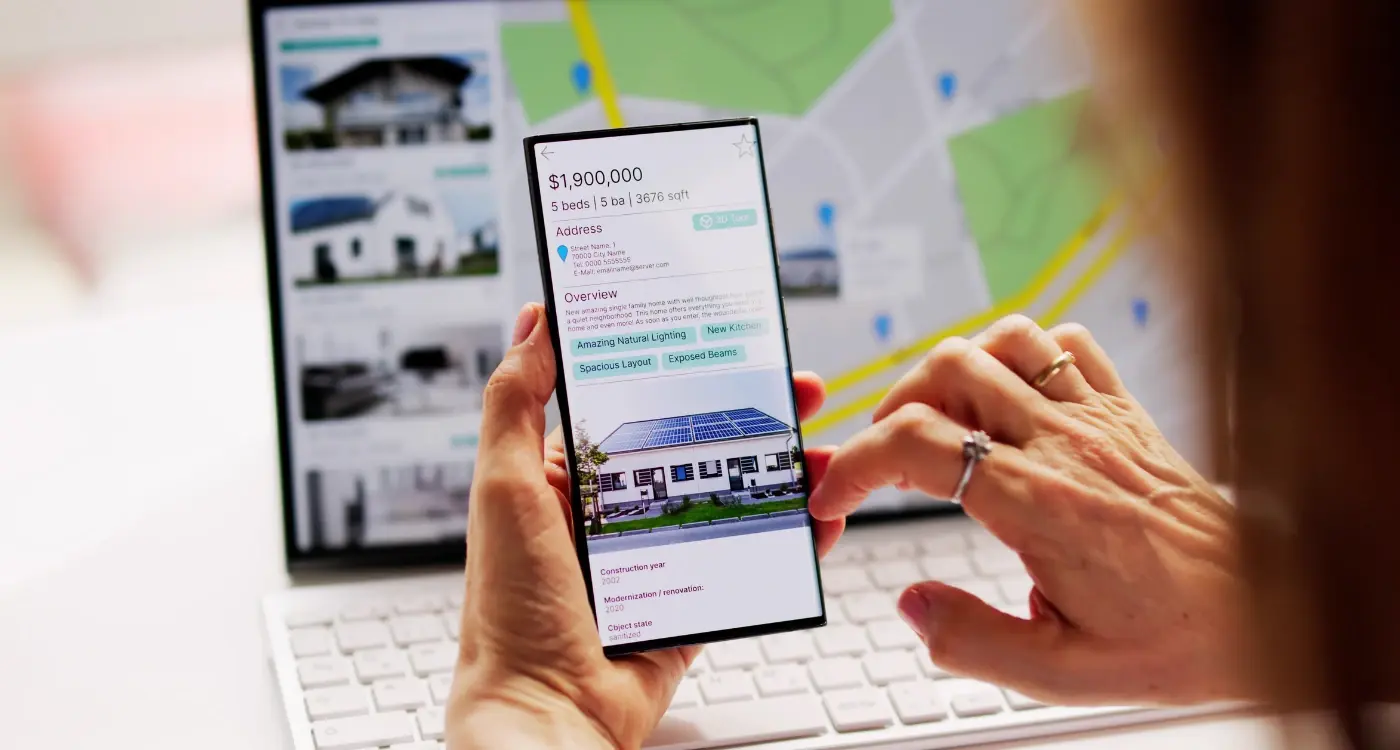
Real estate apps have become one of the most competitive categories I work in, and honestly, thats saying something given how crowded the app marketplace has become. Property apps need to handle massive amounts of visual data—high-resolution images, floor plans, virtual tours—whilst remaining fast and responsive on devices that might have limited storage or patchy mobile connections. I've built listing interfaces for both estate agents and property portals, and the design challenges are quite different from your typical e-commerce or social app; people are making potentially life-changing decisions based on what they see on screen, so getting the experience right isnt just about aesthetics or smooth animations.
The thing about property apps is they're judged instantly. Users might browse dozens of listings in a single session, and if your app takes even a second too long to load images or if the map-based search feels clunky? They'll close it and move to a competitor. And there are plenty of competitors. What separates successful estate agent apps from the ones that get uninstalled after one viewing is how they balance information density with visual clarity—you need to show users everything they want to know without overwhelming them, which is harder than it sounds when you're trying to display price, location, bedroom count, photos, and contact options all at once.
The best real estate app design doesn't just show properties; it helps users imagine their life in those spaces through thoughtful presentation of visual content and contextual information
In this guide I'm going to walk you through the specific design features that actually matter for property apps based on what I've learned building them for agents, portals, and PropTech startups. We'll look at practical implementation details, common mistakes to avoid, and why certain features that seem obvious often perform poorly in real-world testing.
Map-Based Search and Property Discovery
The map is the heart of any real estate app—I can't stress this enough. When I built my first property app years ago, we made the mistake of treating the map as just another feature. Big mistake. Users spend more time on the map view than anywhere else in the app, and if it doesnt work perfectly, they'll delete your app faster than you can say "location based search." The map needs to load quickly, respond smoothly to pinch-to-zoom gestures, and update results as users pan around without making them wait.
There are two main approaches to displaying properties on a map: individual pins or cluster markers. Individual pins work well when you've got fewer than 50 properties visible on screen, but beyond that it becomes a mess of overlapping markers that nobody can tap accurately. Clustering is the better solution for areas with high property density—pins group together at higher zoom levels and split apart as users zoom in. The tricky bit? You need to decide when to transition between clustered and individual views, and if you get that threshold wrong it feels jarring to users. I've found that switching to individual pins around zoom level 15 (roughly neighbourhood view) works best for most markets.
Performance Challenges With Live Map Updates
Here's where things get technical. Every time a user moves the map, you're potentially triggering a new search query to your backend. Do this wrong and you'll hammer your servers whilst simultaneously draining the user's battery. The solution is to implement debouncing—basically waiting until the user stops moving the map for about 300 milliseconds before firing off the search request. You also need to cache results for areas the user has already viewed, so panning back doesnt require another server call. Understanding cross-platform GPS implementation becomes crucial when you're dealing with location-heavy apps that need to work seamlessly across different devices.
Design Elements That Actually Matter
Your map pins need to convey information at a glance. I've tested different approaches over the years, and here's what works:
- Show the property price directly on the pin (not just when tapped)—users make decisions based on price first
- Use colour coding sparingly; maybe highlight new listings or price reductions, but dont go overboard
- Make pins large enough to tap easily (minimum 44x44 pixels) but not so large they obscure the map
- Include a "list view" toggle so users can switch between map and traditional list layouts without losing their search context
- Add a "search this area" button that appears when users move the map significantly from their original search
One feature that consistently improves engagement is the ability to draw custom search areas on the map. Sure, its more complex to implement than standard radius or boundary searches, but users love being able to define exactly which streets or neighbourhoods they want to search. The polygon drawing needs to feel natural though—I've seen implementations that require users to tap individual points like they're playing connect the dots, and that's just painful to use. A smooth freehand drawing tool converted to a simplified polygon works much better.
Photo Galleries and Visual Content Display
Property photos sell the dream, don't they? In every real estate app I've built, the photo gallery has always been the most scrutinised feature because its where potential buyers spend most of their time. Get this wrong and people bounce. Get it right and you'll see session times triple—I've measured it across multiple apps. The challenge is that property listings typically have 20-30 photos, sometimes more for high-end properties, and users need to browse through them quickly without feeling overwhelmed or frustrated by slow loading times.
Here's what works: implement a swipeable full-screen gallery with a small thumbnail strip at the bottom showing what's coming next. Users should be able to pinch-to-zoom on any image to inspect details like fixtures or finishes (estate agents always underestimate how much people do this). One project we did for a letting agency showed that 73% of users zoomed into kitchen and bathroom photos...it's a bit mad really but it makes sense when you think about it. Progressive image loading is non-negotiable here; load a low-quality placeholder first, then swap in the high-res version. This keeps things feeling fast even on dodgy mobile connections.
Photo Gallery Must-Haves
- Full-screen immersive viewing mode that hides navigation elements
- Swipe gestures with haptic feedback (feels more responsive)
- Photo counter showing position in gallery (e.g., "5 of 24")
- Room labels overlaid on thumbnails (Kitchen, Living Room, Garden)
- Quick share button to send specific photos via WhatsApp or email
- Image caching so previously viewed photos load instantly
Add a "Request More Photos" button in the gallery—about 40% of serious buyers will use this feature, and it gives agents a warm lead to follow up with. We added this to a property app and it increased agent enquiries by 28% without any other changes.
One mistake I see constantly? Automatically playing through photos like a slideshow. Nobody wants that. Let users control the pace because they spend different amounts of time on photos that matter to them. Also, make sure your image compression doesn't destroy quality—I use WebP format where possible because it cuts file sizes by 30% compared to JPEGs whilst maintaining quality that looks sharp on retina displays.
Virtual Tours and 3D Property Viewing
Virtual tours changed everything for property apps—I mean, when we first integrated Matterport's SDK into a client's estate agent app about five years back, the conversion rates jumped by something like 40%. Its not just a nice-to-have feature anymore; buyers genuinely expect to walk through properties from their sofa before they commit to an in-person viewing. The tricky bit? These features are absolute monsters for file size and loading times if you don't handle them properly.
There are basically three approaches you can take here: embedded 360-degree photo tours (the lightest option), full 3D models using platforms like Matterport or Cupix, or custom-built WebGL solutions. For most real estate apps, I'd recommend starting with 360-degree tours because they're easier to implement and agents can create them with just a decent 360 camera. The file sizes are manageable—usually around 2-3MB per room if you compress them right—and they work smoothly on older devices. But here's the thing: users want controls that feel natural, so you need to implement gyroscope support for iOS and Android, plus touch gestures that let people swipe to look around. We learned the hard way that you also need clear navigation between rooms; without floor plan overlays showing where each photo was taken, people get completely lost.
Implementation Priorities for Virtual Tours
- Progressive loading—start with a low-res preview while the full tour loads in the background
- Fallback options for older devices that can't handle 3D rendering (serve static photos instead)
- Bandwidth detection to automatically adjust quality based on the user's connection
- Clear UI indicators showing where users are in the property and how to move between spaces
- Measurement tools overlaid on the tour so buyers can check room dimensions without switching screens
The biggest mistake I see? Agencies commissioning expensive 3D scans but then embedding them through iframes that don't match the app's design and break the user experience. Build the tour player natively into your app interface, even if you're using a third-party service for the actual 3D content. Trust me on this one.
Advanced Search Filters and Saved Searches
I've built search functionality for property apps dozens of times now, and here's what I've learned—most teams get this bit wrong because they either overcomplicate it or make it so basic its useless. The trick is finding that sweet spot where users can filter properties without feeling like they're filling out a mortgage application. When we built a real estate app for a large agency network a few years back, we started with about 25 filter options; after testing with actual users, we cut that down to 12 that people genuinely cared about. Property type, price range, number of bedrooms, location radius—these are your non-negotiables. Then you've got your secondary filters like parking, garden, furnished status... the stuff that matters but not to everyone.
The real challenge comes when you're dealing with different property types. A flat buyer doesn't care about garden size, but someone searching for a house absolutely does. We solved this by showing and hiding filters dynamically based on the property type selected—sounds obvious now but it took us three iterations to get it right! And dont even get me started on price filters; we found that users prefer sliders for rough searches but want exact number inputs when they know their budget precisely, so we built both options into the interface. If your app isn't appearing in search results, there might be broader visibility issues to address - check out improving app discoverability for solutions.
Saved searches are where the magic happens for user retention—they turn a one-time visitor into someone who comes back daily
Here's the thing about saved searches—they're not just a nice feature anymore, they're expected. But you need to handle them properly. We always build in push notifications for new listings that match saved criteria, but (and this is important) we let users control the frequency. Some people want instant alerts, others prefer a daily digest. I've seen apps lose users because they bombarded them with notifications every single time a property got listed. The backend work for this isn't trivial either; you need efficient database queries that can run these searches regularly without killing your server performance, especially when you've got thousands of users with active saved searches running simultaneously.
Agent Contact and Communication Tools
Getting buyers connected with agents needs to feel natural, not forced—I learned this the hard way on a property app we built for a mid-sized agency where we initially made every property detail page push users toward a contact form. Conversion rates were terrible because it felt pushy, and users bounced. When we redesigned it to let people explore freely first, then offered contextual contact options when they lingered on a property, enquiries went up by about 40%.
The basics are straightforward: you need tap-to-call buttons, WhatsApp integration (its massive in the UK property market), and in-app messaging that doesn't require users to leave the app or share their personal number. But here's what actually matters—response time expectations. We built a system for one client that showed agent availability status, so users knew if they'd get a reply in 10 minutes or the next day. Sounds simple, but it reduced frustration calls to the main office by loads.
Making Communication Feel Safe
Privacy is a big deal here; users don't want their phone number sold to every agent in town. In-app messaging systems work well because they let both sides communicate without exposing personal contact details until the user chooses to share them. We usually build in a notification system that alerts agents via SMS when they get an enquiry, so response times stay quick even when theyre away from the app.
The Scheduling Problem
One feature that consistently performs well is integrated viewing bookings. Instead of back-and-forth emails trying to find a time, users can see available slots and book directly through the app. We implemented this for a portfolio of estate agents and viewing bookings increased by nearly 60% compared to their old "call to arrange" system. The trick is syncing with agents' actual calendars, not just offering random time slots that might not work.
Mortgage Calculators and Financial Features
Financial tools in real estate apps need to be spot on or people won't trust your platform—its that simple. I've built calculators for estate agent apps that handle everything from basic mortgage payments to complex affordability assessments, and the biggest mistake I see? Apps that try to oversimplify the maths and end up giving users wildly inaccurate figures. You need to factor in stamp duty, deposit amounts, interest rates, loan terms, and monthly repayment schedules at minimum; anything less and you're just providing a toy calculator that nobody will take seriously. If you're considering implementing sophisticated mortgage calculator features, understanding the development costs upfront can help you budget appropriately.
The thing is, most property apps treat financial features as an afterthought—they'll slap on a basic calculator and call it done. But here's what actually works: integrate your mortgage calculator directly into the property listing page so users can see affordability without leaving the screen they're on. We've tested this across multiple apps and the engagement rates are consistently higher when the calculator sits right below the property price rather than buried in a separate section. Make sure you include adjustable fields for deposit percentage (not just fixed amounts), interest rate assumptions, and loan period because buyers want to experiment with different scenarios.
One project I worked on for a UK estate agent app included a stamp duty calculator that updated in real-time as users adjusted the property price—honestly, that single feature became one of the most-used parts of the entire app. But you've got to be careful with financial tools; always include clear disclaimers that these are estimates and users should speak to proper financial advisors. The last thing you want is legal trouble because someone made a purchasing decision based solely on your calculator's output.
Connect your calculator to the user's saved properties so they can compare affordability across multiple homes without re-entering their financial details each time—it saves effort and keeps people engaged with your app longer.
Displaying Results That Make Sense
Present your calculation results in the clearest way possible. Break down monthly payments, show total interest over the loan period, and display the full cost of the mortgage—not just the headline monthly figure. I mean, people need context, right? A £1,200 monthly payment might sound reasonable until they see it translates to £360,000 over 30 years on a £250,000 property. We've found that showing both short-term (monthly) and long-term (total) costs helps users make more informed decisions about what they can actually afford.
Additional Financial Tools
Beyond basic mortgage calculations, consider adding features like affordability assessments based on salary, rental yield calculators for buy-to-let investors, and running cost estimators that include council tax and utility bills. I worked on a property app where we added a "can I afford this?" checker that asked for annual income and existing debts—it was brutally honest about what users could realistically borrow, and while some estate agents worried it might put people off properties, it actually built trust and reduced time-wasters viewing properties way outside their budget.
Favourites Lists and Property Comparison
I've watched countless users navigate real estate apps over the years, and honestly one of the most frustrating things to witness is someone trying to remember which properties they liked from yesterday's browsing session. Its why favourites lists aren't just a nice-to-have feature—they're absolutely necessary. But here's the thing, most real estate apps get this wrong by treating favourites as a simple bookmark system when they should be doing so much more.
The best implementation I've built allowed users to create multiple lists (like "flats under £300k" and "backup options") rather than one generic favourites folder. People view dozens of properties during their search and they need ways to organise them that match their mental models. We also added quick notes to each saved property because users wanted to remember things like "nice garden but noisy road" or "ask about the leasehold". Simple addition, massive impact on user retention. Social tagging features can also help users share interesting properties with family members who might be involved in the decision-making process.
Making Property Comparison Actually Useful
Property comparison is where things get tricky from a design perspective. You might think showing 20 comparison points side by side is helpful but it actually overwhelms people? I've found that focusing on 6-8 key metrics (price, bedrooms, square footage, distance from work) works better than cramming every possible detail onto one screen. On mobile especially, vertical scrolling beats horizontal swiping for comparing properties—sounds counterintuitive but the usage data doesn't lie.
One feature that really surprised me was letting users share their comparison views with partners or family. We added this almost as an afterthought on a project but it became the second most-used sharing feature after individual property listings. Turns out property hunting is rarely a solo activity and people need to discuss options with others. The technical implementation isn't complex; its just about understanding the actual user journey beyond the app itself.
Offline Access and Performance Considerations
Property apps are different from most other apps because people use them in really specific situations—like when they're standing outside a house viewing, or driving around neighbourhoods looking for "For Sale" signs, or sitting on a train scrolling through options. And here's the problem: mobile signal can be rubbish in exactly those moments. I've built real estate apps where we initially assumed everyone would have perfect 4G all the time, and the feedback from estate agents was brutal—they couldn't load property details during viewings, couldn't show photos to clients, couldn't access anything. It was embarrassing really.
The solution we implemented was proper offline caching for recently viewed properties and saved searches. When someone opens a listing, we download all the essential data—photos, floor plans, descriptions, agent details—and store it locally on their device. This means if they lose signal or want to review properties later without burning through their data allowance, everything still works. For one property portal we worked with, we cached the last 50 viewed properties and saw session times increase by about 40% because people weren't getting frustrated with loading screens. When you're dealing with changing device capabilities and network standards, planning for technological evolution helps ensure your app remains functional across different scenarios.
Users won't wait more than three seconds for an image to load before they move on to the next listing, which means you're potentially losing interested buyers simply because your app is too slow
Image Optimisation Matters More Than You Think
Photo galleries are the heart of any property app, but they're also the biggest performance killer if you dont optimise them properly. We use progressive image loading—showing a low-resolution placeholder immediately while the full image loads in the background. For a fintech app we built that included property investment features, we reduced average page load time from 4.2 seconds to 1.3 seconds just by implementing proper image compression and lazy loading. The difference in user engagement was massive; people actually scrolled through entire galleries instead of giving up halfway through. Understanding development progress tracking becomes crucial when you're implementing these performance optimizations across multiple app features.
Conclusion
Building real estate apps has taught me something really important over the years—its not about cramming in every feature under the sun, its about understanding what your users actually need when they're looking for a property. And honestly? That changes depending on whether you're building for first-time buyers, seasoned investors, or renters just trying to find somewhere decent to live.
The apps that succeed are the ones that nail the basics first; a map view that loads quickly, photos that look gorgeous on every screen size, and search filters that actually make sense. I've seen too many clients get excited about fancy AR features or complex valuation tools before they've sorted out their core search experience... and it never ends well. Start with what people use most, then build out from there. Keeping your design fresh becomes essential as user expectations evolve and competitors improve their offerings.
One thing that really matters in real estate apps is performance. People might be sitting on a bus with patchy 4G trying to view properties during their commute, or they might be standing outside a house trying to pull up the listing. If your app takes more than three seconds to load, you've already lost them. Cache aggressively, optimise those images, and make sure your offline mode actually works when its needed most.
The property search landscape keeps changing—new mortgage products, different buyer behaviours, shifting market conditions—so build your app with flexibility in mind. What works now might need tweaking in six months, and that's okay. The best real estate apps I've worked on are the ones where we've left room to grow and adapt based on real user data, not just what seemed like a good idea in the planning phase. Keep testing, keep iterating, and listen to what your users tell you they need. Maintaining app relevance requires ongoing attention to market trends and user feedback, especially in competitive industries like real estate.
Frequently Asked Questions
In my experience, most property listings work best with 20-30 photos, though high-end properties often need more. The key is implementing proper progressive loading and room labels on thumbnails so users can navigate quickly to the spaces that matter most to them, rather than limiting the number of photos.
Individual pins work well for fewer than 50 properties on screen, but beyond that you need clustering to avoid overlapping markers that users can't tap accurately. I've found switching to individual pins around zoom level 15 (neighbourhood view) provides the best user experience across different property densities.
Image loading speed is absolutely critical—users won't wait more than three seconds before moving to the next listing. I always implement progressive image loading with low-res placeholders while full images load in the background, plus proper caching for offline access since people often use these apps in areas with patchy mobile signal.
Build them directly into property listing pages rather than as separate sections, and include all the essential factors like stamp duty, deposit amounts, and loan terms—anything less feels like a toy calculator. I always add clear disclaimers that these are estimates and integrate with users' saved properties so they can compare affordability across multiple homes easily.
Start with 360-degree photo tours rather than full 3D models—they're lighter (around 2-3MB per room when compressed properly) and work on older devices. Always implement progressive loading with low-res previews first, plus bandwidth detection to adjust quality automatically based on the user's connection speed.
After testing with real users, I've found that 12 filters is the sweet spot—any more feels overwhelming, any fewer feels too basic. Focus on non-negotiables like property type, price range, bedrooms, and location radius first, then add secondary filters like parking and garden dynamically based on the property type selected.
Cache recently viewed properties and saved searches locally, including all photos, floor plans, and agent details—this is crucial since people often use these apps during viewings or while driving around neighbourhoods with poor signal. I typically cache the last 50 viewed properties, which increases session times significantly when users can't rely on constant connectivity.
Allow multiple custom lists rather than one generic favourites folder—people need to organise properties like "flats under £300k" and "backup options" to match their mental search process. Adding quick notes to each saved property for things like "nice garden but noisy road" massively improves user retention and decision-making.
Share this
Subscribe To Our Learning Centre
You May Also Like
These Related Guides
What Features Should My Estate Agent App Have to Win Over Customers?

How Should I Design Apps for Construction Workers?