What Do Delivery and Logistics Apps Need to Work Well?
Have you ever wondered why some delivery apps feel smooth and simple to use while others leave you frustrated, refreshing the screen to see where your parcel actually is? The difference comes down to how well the app handles the really complicated stuff happening behind the scenes, and after building logistics platforms for companies moving everything from pizzas to prescription medicines over the past ten years, I can tell you that getting this right requires thinking about problems most people never see.
Most clients come to us wanting a delivery app because they think it's just about showing a dot moving on a map, but the reality is far more complex than that. You've got drivers who need to complete thirty drops in a shift without getting lost, customers who want accurate arrival times, warehouse staff coordinating pickups, and backend systems trying to keep all of this synchronised when half the drivers are in areas with patchy mobile signals. The apps that work well are the ones that solve these real operational challenges rather than just looking nice in screenshots.
The best delivery apps are designed for the driver first and the customer second, because if your drivers can't use it efficiently whilst driving, the whole operation falls apart
Real-Time Tracking That Actually Works
The tracking feature is what customers care about most, but making it work reliably is harder than it looks. I've worked on systems where the GPS updates were coming through every thirty seconds, which sounds reasonable until you realise that means your server is processing potentially thousands of location pings per minute if you've got a decent-sized fleet out on the road.
The technical challenge is balancing battery life against accuracy, because constantly polling GPS coordinates drains a driver's phone battery incredibly fast. We typically use a smart polling system that increases frequency when a driver is close to a delivery point (maybe every five seconds) but drops to every minute or so when they're in transit between stops. This gives customers accurate ETAs when it matters whilst keeping drivers' phones alive through their whole shift.
Connection issues cause the biggest tracking problems. Drivers go through tunnels, into basement car parks, or work in rural areas where mobile coverage drops completely. Your app needs to queue location data locally and sync it when connectivity returns, otherwise you get those annoying situations where the tracking map shows a driver stuck in one spot for twenty minutes then suddenly jumping to a completely different location. This is particularly crucial for apps serving rural areas where offline functionality becomes essential for maintaining service quality.
- Battery-optimised GPS polling that adjusts based on delivery proximity
- Offline data queuing for areas with poor mobile coverage
- Server-side ETA calculations using traffic data and historical delivery times
- Fallback systems that estimate position when GPS signal is temporarily lost
The Driver Interface Problem
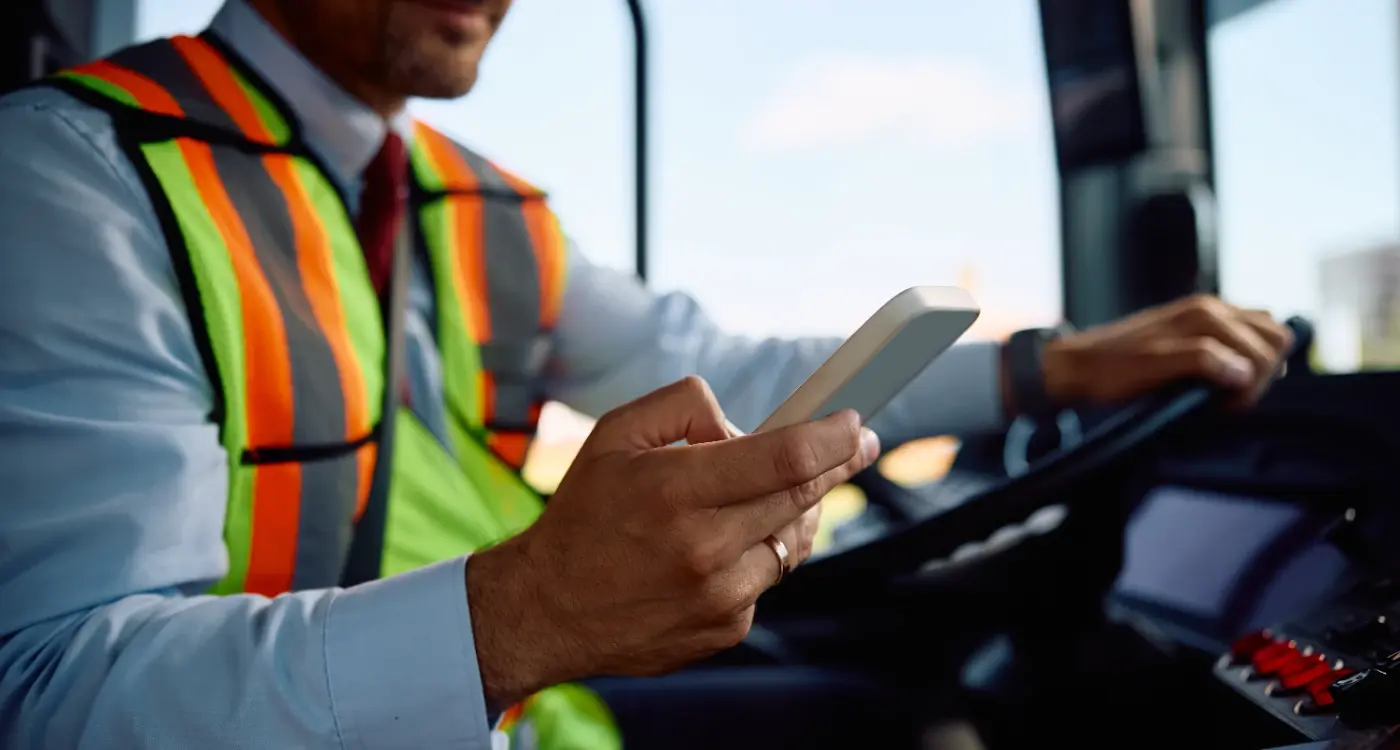
Drivers are using your app whilst operating a vehicle, which creates a whole set of design constraints that don't exist for customers sitting on their sofa. Everything needs to be readable at a glance, operable with gloves on, and ideally usable without looking at the screen for more than a second or two.
I've sat in vans with drivers probably fifty times now, watching them actually use the apps we've built, and it's always an education in what works and what doesn't. Buttons need to be absolutely massive (we usually go with minimum 60px tap targets), text needs to be readable in bright sunlight, and the number of taps to complete any action should be one, maybe two at most. If marking a delivery as complete takes five taps through different screens, drivers will look for shortcuts that might bypass important steps like capturing proof of delivery. Understanding proper touch target sizing is crucial for creating interfaces that work in challenging conditions.
Test your driver interface with actual delivery drivers in their vehicles before launch. What works perfectly in your office will often fail completely in a van with the sun glaring on the screen whilst someone's trying to find house number 47 in an unfamiliar street.
Voice commands and audio feedback make a huge difference but hardly anyone implements them properly. A simple audio ping when you're approaching the next stop, or voice confirmation that a delivery has been marked complete, means drivers can keep their eyes on the road rather than constantly checking their phone screen. We built a system for a medical courier service where drivers could mark pickups and deliveries using voice commands entirely hands-free, which became a proper safety feature given they were often carrying temperature-sensitive items that needed both hands. Implementing voice commands requires careful consideration of noise levels and accent recognition in commercial vehicle environments.
Managing Multiple Deliveries at Once
Most delivery apps need to handle drivers carrying more than one parcel at a time, which sounds straightforward until you start thinking about the logistics of it. The app needs to show the driver which parcels to pick up from where, what order to deliver them in, and how to handle situations where one delivery fails but others need to continue.
We built a system for a same-day courier service where drivers might have fifteen packages in their van at any given time, going to twelve different addresses, with new jobs being added whilst they're already out on the road. The interface needed to show them their current priority delivery big and clear, but also let them quickly see what was coming next and what was already in their van versus what they still needed to collect.
The tricky bit is dynamic reordering when things change. If a customer for delivery number eight calls to say they won't be home until later, the system needs to be able to bump that delivery down the priority list and reoptimise the route for the remaining drops, all without confusing the driver who's already got a mental map of their planned route. Getting this right means extensive testing with drivers who've been doing the job for years, because they'll spot problems with your logic that you'd never think of.
Route Planning and Navigation
You might think drivers can just use Google Maps, but that rarely works well for professional delivery operations. Google Maps is optimised for getting one person from point A to point B, not for planning efficient routes through twenty stops with time windows, vehicle capacity constraints, and pickup points mixed in amongst deliveries.
The route planning algorithm is where you can save (or waste) ridiculous amounts of money in operational costs. A poorly optimised route might add thirty minutes to each driver's day, which across a fleet of twenty drivers costs you three grand a month in wasted labour, never mind the fuel. We use algorithms that consider distance, traffic patterns, delivery time windows, and even things like whether a driver needs to cross a busy main road (which can add minutes at certain times of day).
Good route planning isn't about finding the shortest distance, it's about minimising total time whilst respecting delivery constraints and real-world conditions like traffic patterns and access restrictions
Building custom navigation into the app versus sending drivers to external mapping apps is a decision that depends on your use case. For simple routes, opening Google Maps or Waze is fine and saves development time. But if you're doing specialised deliveries where you need to factor in vehicle height restrictions, weight limits, or customer access notes (like "use the rear entrance"), you need that information integrated directly into the navigation experience where drivers will actually see it.
Historical Data Makes Better Routes
The smartest routing systems learn from previous deliveries. If your data shows that deliveries to a particular postcode area always take longer than predicted (maybe it's an apartment complex where finding parking is difficult), the system should start factoring that into future route planning. We've built systems that track how long drivers actually spend at each type of delivery location and use that to improve time estimates.
Proof of Delivery Systems
Capturing proof that a delivery was completed is absolutely needed for resolving disputes, but it needs to be fast because drivers don't have time to spend three minutes photographing and uploading evidence for each drop when they've got eighty more deliveries to complete that day.
The basic options are signature capture, photo evidence, or PIN codes that customers provide to confirm receipt. Each works better for different types of deliveries, and you'll probably need to support all three. Photo evidence is brilliant for parcel deliveries where you can snap a picture of the package at the doorstep, but it's useless for hand-to-hand transfers of high-value items where you need proper signature confirmation.
| Proof Method | Best For | Main Drawback |
|---|---|---|
| Photo | Contactless parcel drops | Doesn't prove who received it |
| Signature | Hand-to-hand transfers | Slow and can be illegible |
| PIN Code | High-security deliveries | Customers need to check messages for code |
| QR Scan | Business deliveries | Requires recipient to have code ready |
Photo compression is something nobody thinks about until you've got drivers uploading hundreds of photos per day and your storage costs are going through the roof. We typically compress proof photos quite aggressively (around 200-300KB per image) because you just need to see that a parcel was delivered, you don't need professional photography. The image quality is still good enough to read address numbers or identify the location, but your storage and bandwidth costs stay manageable.
Communication Between Drivers and Customers
Drivers need to contact customers when they can't find an address or when nobody answers the door, but giving out personal phone numbers creates problems. Customers end up with drivers' mobile numbers saved in their phones and might call them weeks later about an unrelated delivery, which is both a privacy issue and a waste of drivers' time. Understanding privacy rules around location data is essential when building systems that track both drivers and customers throughout the delivery process.
We always implement masked calling systems where the app places calls through a proxy number. From the driver's perspective they just tap "call customer" and the app handles it, but the actual call is routed through a temporary number that expires after the delivery is complete. This protects everyone's privacy and means you can record calls for quality purposes if needed (with proper consent obviously).
Build in template messages for common situations like "I'm five minutes away" or "I can't find your address". Drivers are often in a hurry and don't want to type out messages, but sending a quick pre-written update takes one tap and massively improves customer experience.
Chat features work better than phone calls for many situations because drivers can check messages when they have a moment rather than being interrupted mid-route. But you need to be realistic about response times because a driver who's focused on completing their thirtieth delivery of the day isn't going to read a message immediately. We usually show customers an estimated response time based on the driver's current status, so they know if they're better off calling instead.
- Masked phone numbers that expire after delivery completion
- Pre-written message templates for common situations
- Image sharing for customers to send photos of access codes or entrance locations
- Push notifications to alert drivers of incoming messages when safe to check
Handling Failed Deliveries and Returns
Not every delivery completes successfully on the first attempt, and how your app handles these situations has a massive impact on operational efficiency. The driver needs to quickly mark why a delivery failed (customer not home, incorrect address, access problems) and the system needs to decide what happens next. For detailed guidance on this crucial aspect of logistics management, our guide on handling failed deliveries and returns covers the specific workflows and decision trees you'll need to implement.
Different businesses have different rules for failed deliveries. Some want drivers to automatically attempt redelivery at the end of their route, others want failed parcels returned to the depot, and some need drivers to leave items in a safe place if possible. Your app needs to support these different workflows whilst making it dead simple for drivers to follow the correct process.
The failed delivery flow we built for a food delivery service was particularly interesting because timing mattered so much. If a driver couldn't complete a fresh meal delivery, the app would automatically check if any nearby customers had ordered similar items and offer to redirect the delivery at a discount, all within about ninety seconds. This recovered revenue from what would otherwise be wasted food, but it required tight integration between the driver app, customer app, and backend systems to make those decisions in real time.
| Failure Reason | Typical Action |
|---|---|
| Customer not home | Leave safe place or return for redelivery |
| Access problems | Contact customer for instructions |
| Wrong address | Update delivery details or return item |
| Customer refused | Return to sender with photographic evidence |
Backend Systems That Keep Everything Running
The apps that drivers and customers use are really just the front end of a much larger system, and the backend is where most of the complexity lives. You need systems for job allocation (deciding which driver gets which deliveries), monitoring and oversight (so dispatchers can see what's happening across the whole fleet), and integration with existing business systems like inventory management or customer service platforms.
Job allocation algorithms can get incredibly complex. The naive approach is to just give jobs to whichever driver is closest, but that often leads to inefficient routing. Better systems look ahead at upcoming jobs and allocate work in a way that positions drivers well for their next likely delivery. We built a system that used machine learning to predict delivery demand patterns and preemptively moved drivers toward areas where orders were likely to come in, which cut average response times by about twenty percent.
Your backend systems need to work when your database is under heavy load, when drivers have poor connectivity, and when everything is going wrong at once during your peak delivery window
Reliability is absolutely non-negotiable for logistics backends. If your system goes down during peak delivery hours, you've got drivers sitting idle, customers complaining about late deliveries, and real money being lost every minute. We design these systems with redundancy built in at every level, automatic failover to backup servers, and offline capability in the apps so drivers can keep working even if the main system has problems. To avoid these catastrophic scenarios, understanding how to protect yourself from app development going wrong is essential when planning mission-critical logistics systems.
Integration With Existing Systems
Most logistics apps need to connect with other business systems like your e-commerce platform, warehouse management system, or customer support tools. These integrations are usually where projects get delayed because you discover that the legacy system you need to connect to has terrible documentation or doesn't expose the data you need through its API. Building a proper integration layer that can handle these issues is just as important as building the apps themselves. With the growing importance of connected devices, understanding IoT integration for logistics applications becomes increasingly valuable for tracking packages, monitoring vehicle conditions, and optimizing delivery operations.
Conclusion
Building delivery and logistics apps that actually work well in real operational environments requires thinking through dozens of practical problems that aren't obvious until you've seen how these systems perform under pressure. The difference between an app that looks good in a demo and one that can handle five hundred deliveries per day without falling over comes down to careful planning, extensive testing with real users, and building in the resilience needed for systems that can't afford to fail during peak periods. It's not about adding fancy features, it's about making the basics work reliably when it really matters, and then gradually improving the experience based on how drivers and customers actually use the system rather than how you think they'll use it.
If you're planning to build a delivery or logistics app and want to talk through the specific challenges your business faces, get in touch and we can discuss what would work best for your situation.
Frequently Asked Questions
Development costs typically range from £50k to £200k depending on features and fleet size, but the ongoing operational costs are often higher than expected. You'll pay around £300-800 per month for GPS tracking services, server hosting that can handle thousands of location updates, and third-party mapping APIs, which can add up to several thousand pounds monthly for active fleets.
This happens when drivers lose mobile signal in tunnels, basements, or rural areas, and the app can't send location updates to your servers. The best apps queue location data locally on the driver's phone and upload it all at once when connectivity returns, but many cheaper systems just lose that tracking data completely.
Google Maps works fine for simple routes, but it's not designed for delivery operations with multiple stops, time windows, and vehicle restrictions. Professional delivery apps need routing algorithms that can reorder stops dynamically, factor in delivery constraints, and learn from historical data to improve efficiency over time.
Build in communication tools like masked phone numbers and pre-written message templates so drivers can contact customers quickly without sharing personal phone numbers. Your app should also have a simple failed delivery flow that lets drivers mark the reason (customer not home, wrong address, access problems) and automatically decides whether to retry, return to depot, or leave in a safe place based on your business rules.
Use different proof methods for different delivery types - photos for doorstep drops, signatures for hand-to-hand transfers, and PIN codes for high-value items. Keep the process to one tap where possible, compress photos to around 200-300KB to manage storage costs, and avoid requiring drivers to fill out detailed forms when they've got dozens more deliveries to complete.
Use smart GPS polling that checks location every 5 seconds near delivery points but drops to every minute during transit between stops. Make sure your app can queue data locally when signal is poor rather than constantly trying to reconnect, and avoid running unnecessary background processes that consume battery power throughout long delivery shifts.
System downtime during busy periods costs serious money in idle drivers and angry customers, so you need redundancy built in from the start. The best approach is offline capability in your driver apps so they can continue working and sync data when systems recover, plus automatic failover to backup servers and monitoring that alerts you to problems before they affect operations.
Most delivery apps need to connect with e-commerce platforms, warehouse systems, or customer support tools, but legacy system integrations often cause project delays. Plan extra time for discovering API limitations in older systems, build a proper integration layer that can handle data format differences, and always have fallback processes for when connected systems are unavailable.
Share this
Subscribe To Our Learning Centre
You May Also Like
These Related Guides
Should My Logistics App Include Proof of Delivery Features?
What's Involved in Building a Custom Delivery Tracking System?