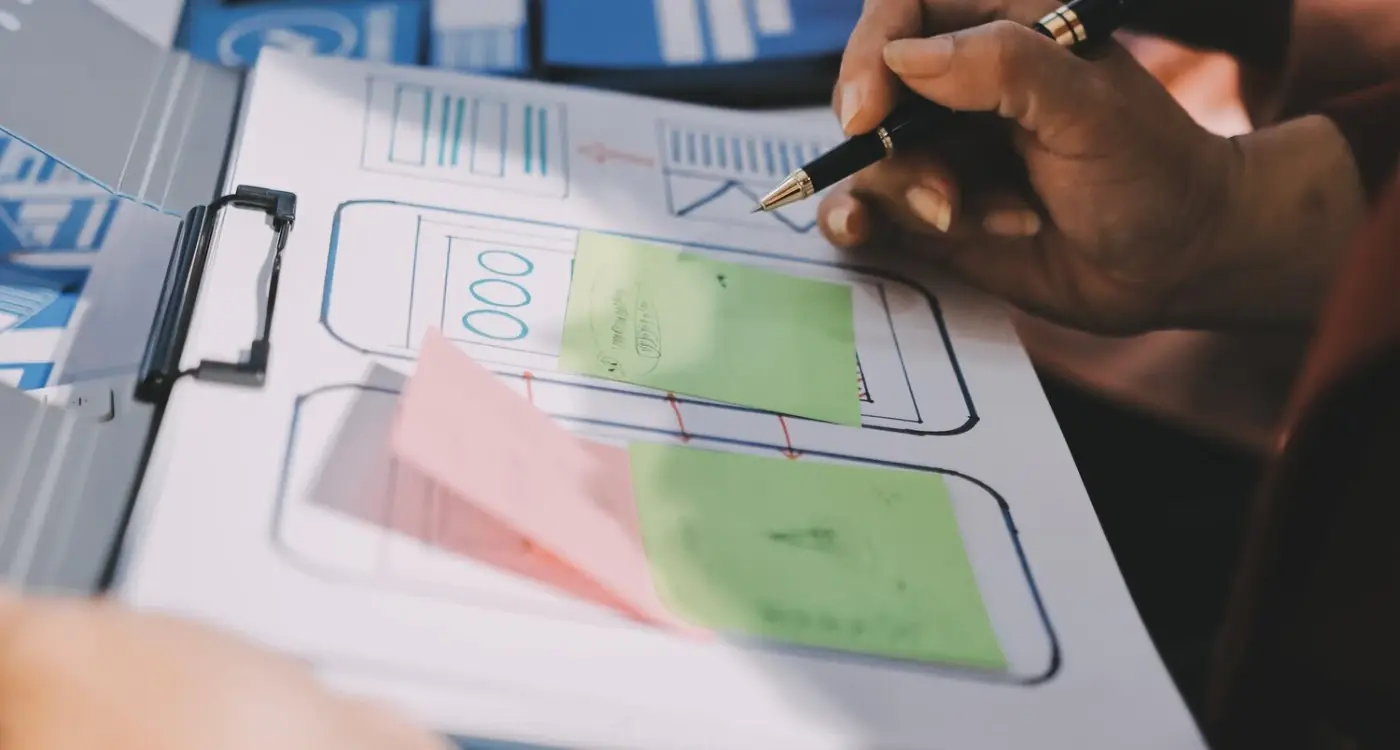
What Makes an App Store Description Actually Convert?
Your app has been sitting in the store for three months now and you're getting maybe twenty downloads a week when you know it could be doing so much better, which is frustrating when you've spent months building something genuinely useful. The problem isn't always the app itself but rather how you're presenting it to potential users who scroll past your listing in about two seconds flat, and that's where most developers lose their chance to convert browsers into actual downloads.
Converting a store visitor into a download happens in the time it takes someone to decide whether to keep scrolling or stop and read more
I've worked on app store listings for about eight years now and the difference between a description that converts at two percent versus one that hits twelve percent often comes down to understanding a few basic principles about human behaviour and how people actually use the app stores (not how we think they use them). The stores themselves have changed quite a bit over the years but user behaviour has stayed fairly consistent, which means once you understand what makes someone stop scrolling and actually tap that download button you can apply these lessons across different apps and different markets.
Understanding App Store Psychology
People browse app stores in two completely different modes and your listing needs to work for both of them, which is harder than it sounds. The first group are searchers who typed something specific into the search bar and are looking for an app to solve a particular problem right now, whilst the second group are browsers who might be exploring a category or following a recommendation from somewhere else and aren't quite sure what they want yet.
Searchers make decisions fast. They've already decided they need a solution so they're comparing options and looking for trust signals that tell them your app will actually work, won't be full of bugs, and isn't going to spam them with adverts every five seconds. Browsers need more convincing because they haven't necessarily committed to downloading anything yet, so your job is to show them why they have a problem they didn't know they had and how your app solves it. Understanding user perception is crucial here, much like how design psychology affects how safe users feel when using your app.
- Users spend an average of seven seconds looking at an app listing before deciding
- The top portion of your description gets read five times more than anything below the fold
- Screenshots are viewed before text content in about eighty percent of cases
- Ratings below four stars reduce conversion by roughly half compared to apps rated 4.5 or higher
The First Five Seconds Matter Most
When someone lands on your app listing they're making snap judgements based on what they can see without any scrolling whatsoever, which on most phones means your icon, title, subtitle, first screenshot, and rating. That's your shop window and if those elements don't communicate value immediately then nothing else you've written will matter because they'll already be gone.
Your app icon needs to be readable at tiny sizes because that's how people first encounter it in search results, and complicated designs with lots of detail just turn into a muddy blob when displayed at sixty pixels wide. I've seen apps double their conversion rate just by simplifying their icon to focus on one clear visual element that actually tells you what the app does (learned that one the hard way with a fitness app where the original icon tried to show a person running plus a heart rate plus a graph and it was just... too much). When building your first app independently, these visual decisions become even more critical since you might not have a design team to catch these issues early.
Take screenshots of your icon at the actual size it appears in search results and show it to someone for two seconds, then ask them what the app does - if they can't tell you straight away then your icon is working against you
| Element | Time to Process | Decision Impact |
|---|---|---|
| App Icon | 0.5 seconds | High |
| Title & Subtitle | 1-2 seconds | High |
| First Screenshot | 2-3 seconds | Very High |
| Star Rating | 0.5 seconds | Very High |
| Description Text | 5+ seconds | Medium |
Writing Your App Title and Subtitle
Your app title gets thirty characters on iOS and fifty on Android to communicate what your app does and why someone should care, which isn't much space to work with so every word needs to earn its place. The biggest mistake I see is developers using their brand name plus a bunch of generic words that could apply to anything, like "Fitness Tracker Pro" when there are probably eight hundred other apps with basically the same title. Apple's recent app store cleanup efforts have made standing out even more important as generic apps get removed.
The subtitle (or short description on Android) is where you can expand a bit and explain the main benefit or use case, and this is where being specific really pays off. Instead of "Track your workouts and reach your goals" which tells me nothing useful, something like "Strength training plans for home workouts, no equipment needed" immediately tells me whether this app is for me or not. I've seen this tiny change take conversion rates from four percent up to nine percent because you're filtering for the right audience and making them feel like this was built specifically for them.
Testing Different Approaches
Both stores let you test different titles and subtitles now which is brilliant because what you think will perform best often isn't what actually works. I ran tests for a recipe app where the version mentioning "30-minute meals" beat the one talking about "thousands of recipes" by a huge margin, even though conventional wisdom says bigger numbers are more impressive... turns out people cared more about saving time than having endless choice (crazy when you think about it). This kind of competitive UX analysis helps you understand what really matters to users in your category.
Crafting Description Copy That Actually Gets Read
Nobody reads your entire description, I'm sorry but they just don't, which means you need to structure it so the people who do scroll down find what they're looking for quickly. The first two or three lines are what show up before someone has to tap "more" so those lines need to contain your strongest benefit statement and give people a reason to keep reading rather than just downloading a competitor's app instead.
Front-load your description with the one thing that makes your app different from every other option in your category
After that opening I usually break things down into clear sections using line breaks and maybe some simple formatting, talking about key features but always linking them back to benefits rather than just listing capabilities. "Offline mode for when you're travelling" tells me why that feature matters, whereas just saying "works offline" makes me do the mental work to figure out when I'd use that. People are lazy (I'm lazy too), so make it easy for them to understand value without having to think too hard.
The Features That Actually Matter
Not all features are equally interesting to potential users and spending equal time describing everything is a waste of your limited attention budget. Focus your description on the three or four things that genuinely differentiate your app or solve the most common pain points in your category, then briefly mention everything else at the bottom for completeness. I worked with a budgeting app that was listing seventeen different features and their conversion went up when we cut it down to just five key ones with proper explanations rather than trying to impress people with a long list. If you're working on fitness apps specifically, consider how personalised workout features can be your main differentiator rather than generic tracking capabilities.
Using Keywords Without Sounding Like a Robot
App store search optimisation matters but stuffing your description full of keywords at the expense of readability will hurt your conversion rate more than it helps your ranking, which I've tested probably fifty times now with different apps. The stores are smart enough these days to understand context and related terms, so you don't need to repeat "weight loss app" twelve times throughout your description when variations like "lose weight", "slimming", and "fat loss" will all get picked up naturally.
Keywords belong in your title, subtitle, and keyword field (on iOS), whilst your description should be written primarily for humans who are trying to decide whether to download. That said, you do want to include your main keywords at least once in the description, preferably near the top, and you want to cover the main ways people might search for an app in your category without being weird about it. A meditation app should probably mention things like "sleep", "anxiety", "stress relief", and "mindfulness" somewhere in there because those are genuine user needs and search terms, but work them into natural sentences rather than just listing them.
Screenshots and Video Tell Half the Story
Screenshots are probably the single most important conversion element after your rating because they're big, visual, and people actually look at them before deciding whether to read any text. The mistake most developers make is treating screenshots as technical documentation that shows what every screen in the app looks like, when actually they should be mini advertisements that demonstrate value and show someone using the app to achieve something they care about.
Your first screenshot should show the main screen people will spend most of their time using, with a clear text overlay explaining the key benefit - this isn't about showing off your entire app, it's about making someone want to see more
I typically recommend five to seven screenshots that tell a story about using the app, starting with the main value proposition, then showing key features that support that value, and maybe ending with social proof or awards if you have them. Text overlays help direct attention and explain what someone is looking at, but keep them short because small text on a screenshot is hard to read. Preview videos are brilliant when done well but they need to grab attention in the first three seconds with something interesting happening, not just a slow pan across your logo (seen that too many times). If you're building something like wearable apps that need to be simple, your screenshots become even more critical for showing that simplicity in action.
- Show the main benefit or outcome first, not your onboarding screens
- Use actual content rather than placeholder text so it feels real
- Add brief text overlays that explain what makes each feature useful
- Include a person using the app if possible, faces increase engagement
- Make sure screenshots are current and match your actual app design
Social Proof and Ratings That Build Trust
Your star rating is the fastest trust signal you have and the difference between 4.2 stars and 4.6 stars might seem small but it can easily change your conversion rate by thirty or forty percent. People use ratings as a shortcut to figure out whether an app is legitimate and works properly, so if you're sitting below four stars you need to fix whatever is causing negative reviews before spending time on anything else. If you're launching soon and don't have ratings yet, building an email list before your app launches can help you get those crucial early positive reviews from engaged users.
Getting those initial ratings is tough when your app is new and you're not getting many downloads yet, which creates a bit of a chicken and egg situation. The best approach I've found is to prompt users for ratings after they've had a positive experience with your app, not just after opening it three times. If someone just completed their first workout, cooked their first recipe, or finished setting up their budget... that's when they feel good about your app and are most likely to leave a positive rating.
Review Content Matters Too
The text of reviews gets read more than you might think, particularly the most recent ones and any developer responses you've left. Responding to negative reviews politely and helpfully shows potential users that there's a real person behind the app who cares about fixing problems, which builds confidence. I've seen apps with lower ratings outperform competitors with higher ratings when the reviews showed an engaged developer who was actively improving things based on feedback. Learning how to respond to user feedback professionally can turn negative reviews into positive conversion signals.
| Rating Range | Typical Conversion Impact | User Perception |
|---|---|---|
| 4.5 - 5.0 | Baseline (strong) | High quality, trustworthy |
| 4.0 - 4.4 | -20 to -30% | Decent but might have issues |
| 3.5 - 3.9 | -50 to -60% | Probably buggy, risky download |
| Below 3.5 | -70% or worse | Avoid completely |
Testing and Improving Your Conversion Rate
The only way to really know what works for your specific app and audience is to test different variations and measure what happens to your conversion rate, which both app stores now let you do through their built-in testing tools. I usually start by testing different first screenshots or different subtitle copy since those elements have the biggest impact and are the easiest to change, then move on to testing full description rewrites or different keyword approaches once I've optimised the high-impact stuff.
Small improvements in conversion rate compound over time because more downloads lead to better rankings which lead to more visibility and even more downloads
What you're looking for is a meaningful difference in conversion rate, usually at least fifteen or twenty percent improvement before declaring a winner and moving on to test something else. Testing screenshots showing people versus screenshots showing just the interface, testing benefit-focused copy versus feature-focused copy, testing different value propositions in your subtitle... these tests have produced wins as high as doubling conversion rate, though thirty to fifty percent improvements are more typical when you find something that really resonates. When planning your app's growth, consider how scalable architecture decisions might affect the features you choose to highlight in your store listing.
Keep in mind that changes to your listing can affect your search ranking as well as conversion rate, so sometimes you need to balance pure conversion optimisation against maintaining visibility for your important keywords. I worked with an education app where removing the word "learning" from the title improved conversion by making it sound less formal and school-like, but it also dropped their ranking for "learning app" searches enough that overall downloads actually went down... so we kept the keyword in the title but changed the surrounding words instead.
Conclusion
Getting your app store listing right is part psychology, part copywriting, and part data analysis, but the effort pays off because improving your conversion rate is often the fastest way to grow downloads without spending more on advertising or user acquisition. Focus on that first five-second impression, make your benefits clear and specific rather than vague and generic, use your screenshots to tell a compelling story about what using your app feels like, and then test variations systematically to keep improving over time.
The apps that convert best are usually the ones that understand their audience well enough to speak directly to their needs and concerns, showing rather than telling how the app will make their life better in some specific way. Your listing should answer the question "why should I download this instead of the dozen other similar apps" before someone has to think too hard about it, because if they have to work to understand your value then they probably won't bother and you've lost them already.
If you're struggling to get your app listing to convert the way you'd hoped or you'd like someone to review what you've got and suggest improvements, feel free to get in touch and we can talk through what might work better for your particular situation.
Frequently Asked Questions
You'll usually see initial changes in conversion rate within 24-48 hours of updating your listing, though it can take up to a week for the data to stabilise enough to make proper comparisons. Search ranking changes from keyword adjustments often take longer to show up, sometimes two to three weeks depending on how competitive your category is.
Only mention pricing if it's a key differentiator, like "free" when most competitors charge or a specific low price point that's genuinely compelling. Most users can see your price displayed separately anyway, so using precious character space in your title for pricing usually isn't worth it unless it's genuinely your main selling point.
Showing the onboarding or login screen instead of the main app interface where users will spend most of their time. Your first screenshot should demonstrate the core value of your app immediately, not waste space on welcome screens or tutorials that don't tell potential users what they'll actually get from downloading.
Focus on naturally including your five to ten most important keywords rather than trying to stuff in everything possible. The description should read like it was written for humans first, with keywords worked into natural sentences that explain benefits and features rather than just being listed out.
Absolutely, responding professionally to negative reviews shows potential users that you care about fixing problems and improving the app. Keep responses brief, acknowledge the issue, and mention any fixes or updates you've made - this often converts negative social proof into positive trust signals for future users.
Update your screenshots whenever you make significant changes to key screens that are shown in your listing, as outdated screenshots that don't match the actual app experience will hurt user trust and potentially lead to negative reviews. Minor design tweaks don't always require new screenshots, but major UI changes definitely do.
Conversion rates vary hugely by category and competition, but anything above eight to ten percent is generally considered good, whilst rates below three percent suggest your listing needs work. New apps often start lower and improve over time as you optimise based on user behaviour and feedback.
If your app looks significantly different on each platform due to design guidelines, then yes, platform-specific screenshots will perform better than generic ones. But if the core interface is very similar, you can often use the same screenshot strategy for both stores whilst adjusting the specific images to match each platform's visual style.
Share this
Subscribe To Our Learning Centre
You May Also Like
These Related Guides
What Makes People Click on My App Instead of Others?

Why Does My App Get Impressions But No Downloads?